ATOL Smart
Smart.Slim, Smart M20, Smart.Lite and others
Tested by us; the app recognizes the terminal itself. ATOL has its own installation QR code.
Handheld terminal app 2.1
The Truemark app runs on any handheld terminal model with Android 7.0 or newer and a built-in scanner in Broadcast mode. The warehouse receives goods against incoming UTDs, builds aggregates, fills UTDs, picks Wildberries and Ozon orders and prints labels at the rack and on the line.
Terminals
The terminal you already have in the warehouse will do. You need Android 7.0 or newer, a built-in scanner in Broadcast mode and internet. A scanner at the computer, in keyboard or COM port mode, can be checked in the scanner check: whether GS separators come through, and whether there’s a prefix or a Russian keyboard layout.
Smart.Slim, Smart M20, Smart.Lite and others
Tested by us; the app recognizes the terminal itself. ATOL has its own installation QR code.
Terminals with a built-in scanner
Tested by us; the app recognizes the terminal itself
And other Android terminals
The scanner switches to Broadcast mode, and codes reach the app whole, with the separators inside the DataMatrix. The app settings tell you how to switch your manufacturer’s scanner.
Logs with one button
“Send logs” in the settings: the log comes to us, and the app shows the log number for support
A regular smartphone won’t do: the app accepts codes only from the built-in scanner and doesn’t scan with the camera
A factory abroad confirms code application with a scan on a handheld terminal connected to the importer’s account. Scenario for importers
What the app can do
A section opens with a tap or the key with its number. Everything done on the handheld terminal shows up in the account right away.
Goods are checked against the supplier’s incoming UTD right in the warehouse. A scan opens the right UTD itself, and if a code is in several documents, the terminal asks where to count it. The display shows how many are confirmed out of the document’s number, and a wrong scan can be undone. Goods without codes: by barcode or by entering the quantity.
Boxes, group packages and sets are built with the scanner right on the terminal. A pallet is started in the account, and boxes can be scanned into it on the handheld terminal too. Codes are checked in Chestny ZNAK, the display tells you what to do next after each scan, and Truemark Connect prints the aggregate label. What’s started on the handheld terminal continues in the account, and vice versa.
Manual aggregationThe terminal works as a marking station for variable-weight goods: the scales and printer stay at the computer with Truemark Connect, the handheld terminal is on the same network, up to 8 handheld terminals per computer. The label prints when the weight settles, tare is accounted for, with a duplicate and the log at hand.
About the marking stationScanning the code on the goods confirms that the code has been applied. No need to look for the application report: Truemark finds it itself.
A draft is created on the terminal or taken from the account. A DataMatrix on the goods or an SSCC on a box: by the package code, the whole content goes into the document. Codes with errors are visible by the product, and an extra one is removed with a tap.
Picking Wildberries orders and Ozon postings with a scanner
Scan the code on the goods, and the printer prints the same label with the template from the account, right away in the needed number of copies. For variable-weight goods, the weight is printed.
The code status in Chestny ZNAK in large type, the rest under the “More” button
Board
The warehouse works at the rack and on the line, and the result of each scan is clear from the display, sound and vibration.
Installation
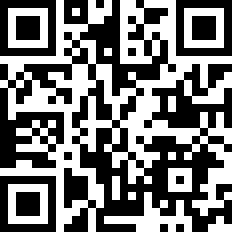
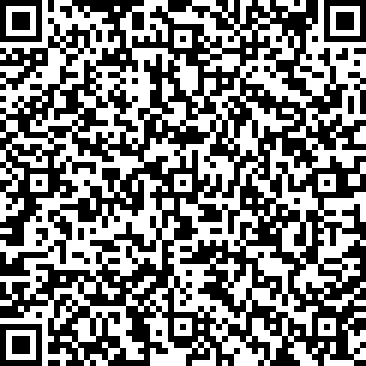
Both codes are also in the account, in the device settings. After installation, the terminal connects to the account with a connection code.
Link
Aggregation, UTDs and receipt are signed with an electronic signature in the account; there’s no signing on the handheld terminal
A UTD built on the handheld terminal is exported to 1C with the full code hierarchy. Six configurations, including 1C:Fresh.
Marking in 1CThe station, aggregate labels and label copies print via Truemark Connect on the computer or on a network printer
TSPLTSC, ATOL, XprinterZPLZebra, Honeywell, DatamaxEZPLGodex
Pricing
A license is per connected device; the terminal itself isn’t included.
from ₽2,325a month, paid annually
from ₽4,159a month, paid annually
₽10,000per device
₽0no card required
Questions
Didn’t find an answer? Write to us, and an expert will reply in 15 minutes on average. App overview: in the knowledge base.
A data collection terminal is a device with a built-in barcode scanner. In the warehouse, it scans the DataMatrix on goods and the SSCC on boxes right where the operation happens: receipt, aggregation, shipment, code checks.
Any on Android 7.0 or newer with a built-in scanner in Broadcast mode. We tested ATOL Smart and MERTECH ourselves, and the app recognizes them with no setup. On Urovo, Sunmi, Zebra, Honeywell and others, the scanner switches to Broadcast mode, and the app settings show how.
No. The app accepts codes only from the built-in scanner and doesn’t scan with the camera.
In ATOL OS, open “Setup via QR code” and scan the code from this page or from the account; the app installs itself.
Scan the QR code with the terminal camera, install the app and connect the terminal in the account: “Settings” → “Devices” → “Connect”.
DataMatrix on goods, SSCC on boxes and pallets, group package and set codes. In receipt, also the barcode of goods without marking.
Yes, in the “Receipt” section: a scan opens the right incoming UTD itself, and the display shows how many are confirmed. “Finish check” sends the result to the account, where the document is signed.
Yes, in the “Aggregation” section: the warehouse worker scans goods on the terminal, the printer at the computer with Truemark Connect prints the box label, and the aggregation document is signed in the account.
Yes, in the “Station” section: the scales and printer stay at the computer with Truemark Connect, and the operator works on a handheld terminal on the same network. Up to 8 handheld terminals per computer.
Yes. A draft is created on the terminal or taken from the account, and codes are added by scanning the goods or a box. The UTD is signed and sent in the account.
No, the handheld terminal needs internet. Without a connection, a scan doesn’t count and doesn’t pile up in a queue, and the terminal says so directly. When the connection is back, just scan the code again.
The app reports a new version itself and updates with the “Update” button. No need to download a file by hand.
Yes. A UTD built on the handheld terminal is exported to 1C with the full code hierarchy. Supported: 1C:Trade Management 11, 1C:ERP, 1C:Complex Automation, 1C:Accounting PROF and CORP 3.0, 1C:Small Business Management and 1C:Fresh.
On Opti and Maxi, one license is free and the next costs ₽5,000. On Mini, it’s ₽10,000 per device. The terminal itself isn’t included in the license.
Yes. You can connect as many terminals to the account as you need; a license is per device.
A QR code, the app and a connection code from the account. 7 days of full access for free, no card required.
Or leave a request
We’ll answer about volumes, pricing and getting started. Leave your phone or email and your question in the request form.