Which printer do I need for Chestny ZNAK?
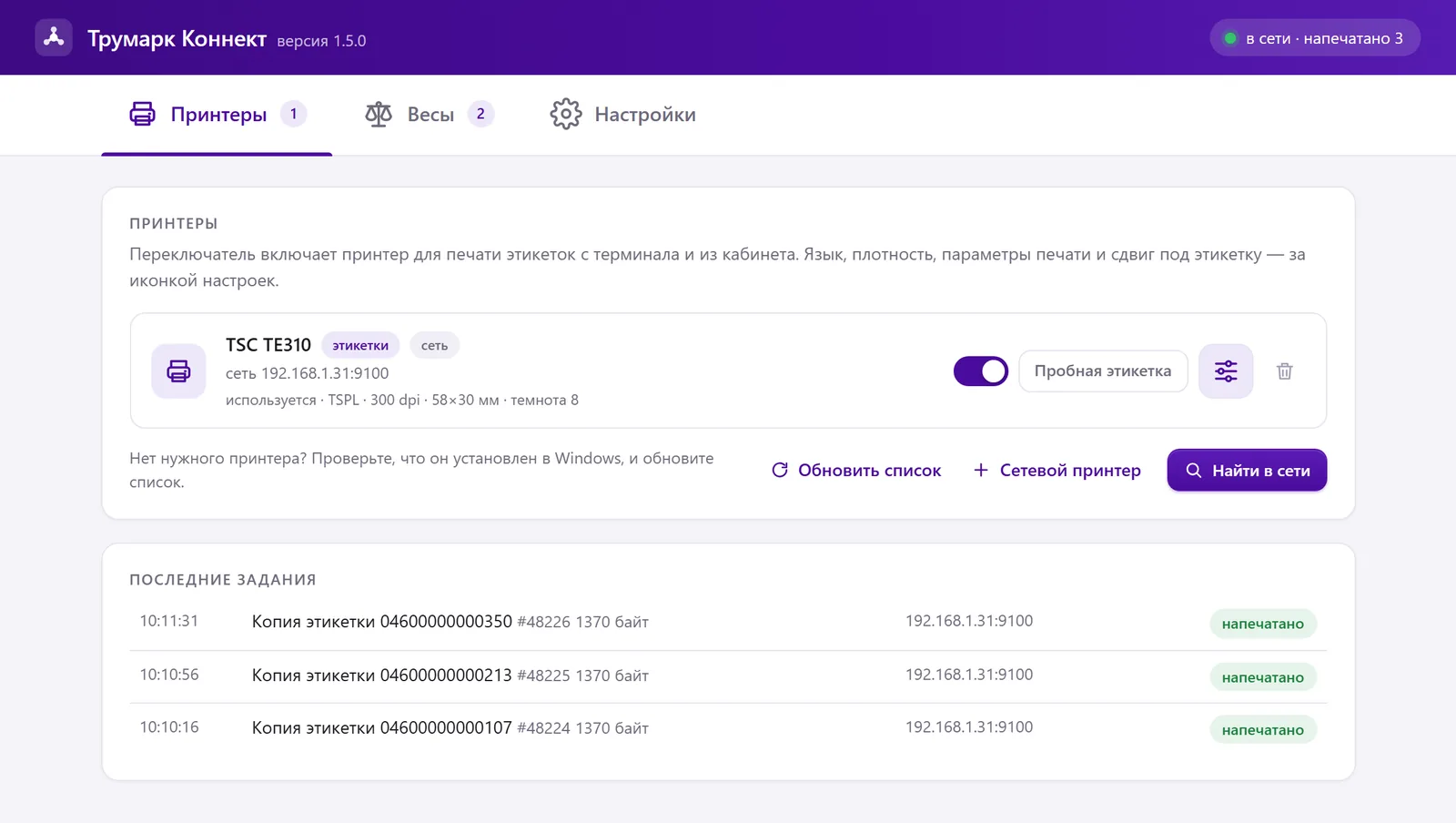
It depends on how you print. The account gives you an order’s run as a PDF file, and any printer can print it: a label printer or an office printer on an A4 sheet. For a label to come out right away without a PDF (at the marking station, for a copy by scan and when packing boxes), you need a label printer with the TSPL, ZPL or EZPL language and Truemark Connect on a Windows computer. We recommend a thermal transfer printer with a ribbon.
How much does a label printer for marking cost?
For a guide, use the marking cost calculator on the website: it estimates a thermal transfer printer, a ribbon and labels for thermal transfer printing together with codes and the plan for your volume.
Can I print marking codes on a regular printer?
Yes, as a PDF file: on an A4 sheet, labels are laid out in a grid, and you set the layout in the print dialog. The marking station and label copies through Connect don’t print on an office printer; they need a label printer.
Which label printers work with Truemark?
Through Connect, printers with TSPL, ZPL and EZPL: TSC, ATOL, Xprinter, Zebra, Honeywell, Datamax, Intermec, Argox, Godex, iDPRT and MERTECH. We printed on the TSC TE310, the MERTECH TLP400 and an iDPRT printer ourselves; check any other model with a test label. Sato, Bixolon and Citizen printers with their own languages are not supported.
What resolution do I need: 203 or 300 dpi?
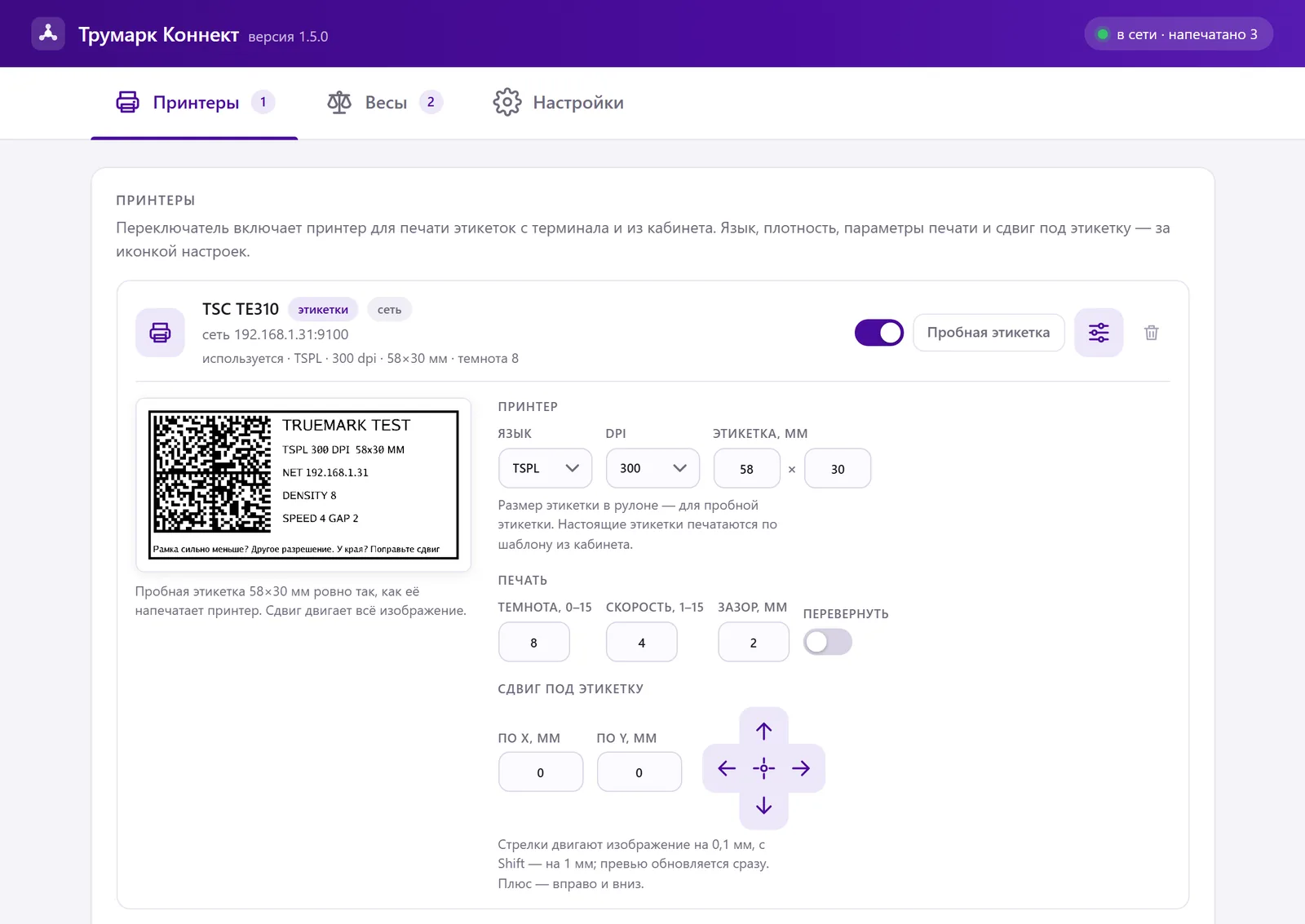
Connect prints on printers with a resolution of 203, 300 and 600 dpi. Take the resolution from the specifications and choose it in the printer settings: if the frame on the test label is much smaller than the label, the resolution is set wrong. Check with a scanner on the first label whether the code reads.
Will a MERTECH printer work?
Yes, we tested the MERTECH TLP400 ourselves. On MERTECH, the language, ZPL or TSPL, is selected in the printer itself: over USB, Connect picks it up automatically, and if the test label doesn’t come out, it will offer to try another language.
Will Xprinter and ATOL work?
They fit by language: they use TSPL, like the TSC TE310 on which we tested printing. Check the model itself with a test label in Connect.
Do I need a label printer driver?
A USB printer must be installed in Windows: Connect sends it the job through the print queue in the printer’s language, without a print dialog. A network printer doesn’t have to be installed in Windows; Connect prints to it by IP address, port 9100.
The printer prints blank labels. What should I do?
Increase the darkness in the printer settings in Connect and print a test label. If the label is completely blank, check the ribbon: whether it’s loaded and hasn’t run out, and whether the labels are for thermal transfer printing.
Is there printing software for macOS or Linux?
Truemark Connect is released for Windows 10 and later. If you need it for macOS or Linux, write to us or leave a request at the bottom of the page, and we’ll discuss it. An order’s run as a PDF file prints from the browser on any system.